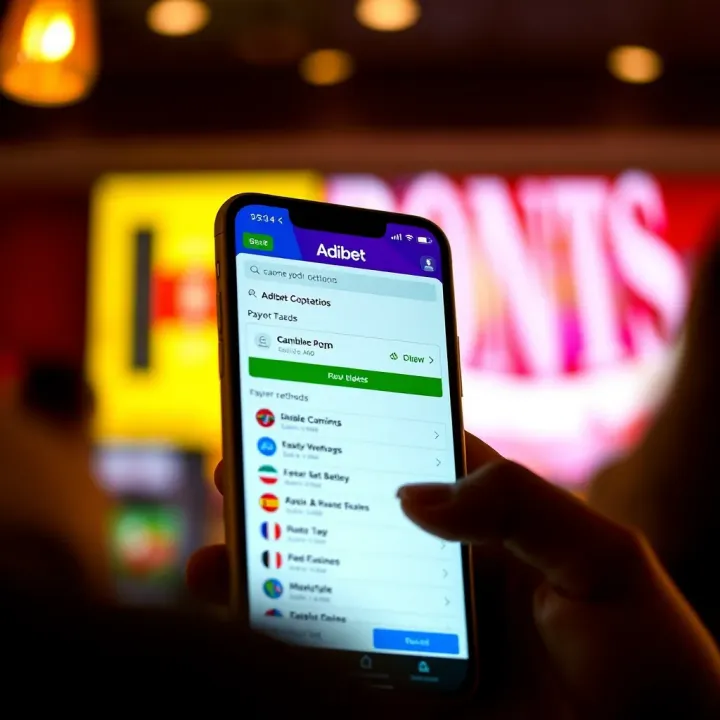
How to Download and Use AdiBet on Android Devices
What You Need to Know
To get started with the AdiBet app on your Android device, it’s essential to know the basics about the app and its compatibility. AdiBet is a popular sports betting platform in Nigeria, designed to provide users with a convenient and secure way to place bets on various sports events.
System Requirements
Before downloading, ensure your Android device meets these minimum requirements to avoid issues during installation or use:
Android OS version 5.0 (Lollipop) or higher
At least 100 MB of free storage space
Stable internet connection (3G/4G or Wi-Fi) for smooth operation
Device RAM of 2GB or more for optimum performance
How to Download the AdiBet App
Since AdiBet’s app might not be available on Google Play Store due to betting regulations, follow these steps to download it safely:
Visit the official AdiBet website – Only download the app from the official site to reduce the risk of malware.
Enable app installations from unknown sources – Go to Settings > Security > Enable "Install from Unknown Sources" to allow the APK installation.
Download the APK file – Tap on the download link and wait for the file to save on your device.
Install the app – Open the APK file from your downloads folder and follow on-screen instructions.
Launch the app – Once installed, open the app and proceed to sign up or log in.
Always ensure your antivirus software is up to date before installing apps outside Google Play to keep your device secure.
Installing and Setting Up the AdiBet App
After installation, you’ll be guided through account registration. To sign up, you’ll need to provide a valid phone number, email address, and create a secure password. Nigerian users will appreciate that the platform supports local payment methods such as bank transfers, USSD codes, and popular wallets like OPay and PalmPay.
Key Features to Expect
Live betting on football, basketball, and other popular sports
Quick access to promos and bonuses for registered users
In-app wallet for straightforward deposits and withdrawals
Secure login with two-factor authentication (2FA) for added safety
Understanding these points ensures you’re fully prepared to download, install, and start using the AdiBet app without unnecessary delays or security concerns.
Overview of AdiBet and Its Appeal in Nigeria
What AdiBet Offers to Sports Bettors
AdiBet provides Nigerian sports enthusiasts a vast selection of sports and betting options, ranging from football and basketball to less common markets like tennis and volleyball. This variety makes it practical for bettors who want to diversify their wagers beyond popular events. For example, a football fan in Lagos can place bets on both the English Premier League and local NPFL matches without switching platforms.
The platform’s user-friendly interface is tailored for mobile use. Navigating through different sports, markets, and bet types is straightforward, which suits the fast-paced lifestyle of many Nigerian users. Its design reduces clutter, supporting quick bets during live matches, even when internet connectivity is unstable.
AdiBet competes with other platforms by offering competitive odds and regular promotions. Users often find better value with AdiBet’s odds compared to traditional bookmakers. Promotions like betting bonuses or free bets during big events such as the Super Eagles matches encourage consistent engagement and provide extra betting capital.
Why Choose the Android App Over Web Betting
Using the AdiBet Android app offers faster access than the web version because you don’t have to open a browser or log in every time. Notifications about live matches, result updates, or new promotions arrive instantly, keeping users in the loop without delay. This quick access can make all the difference when placing in-play bets.
The app’s usability on mobile devices is superior mainly because it adapts perfectly to smaller screens, making betting smoother. Buttons are optimised for quick taps, and pages load faster as they are designed to work well on limited data connections common in Nigeria. This contrasts with web versions that occasionally lag or get stuck loading large pages.
Besides these benefits, the app offers offline features and better data efficiency. While offline, you can view your betting history or read tips that were preloaded, which helps in places with patchy network signals. Also, the app consumes less data than browsing the site, saving costs—an important factor given the high mobile data prices in Nigeria.
Using the AdiBet Android app provides a more reliable, faster, and data-friendly experience, making it a preferred choice for Nigerian bettors who want to stay proactive and save on internet costs.
This combination of wide offerings, ease of use, competitive deals, and technical advantages explains why many Nigerians opt for the AdiBet app when placing their sports bets.
System Requirements and Preparations for Download
Before you download the AdiBet app, understanding the system requirements and preparing your device properly ensures a smooth installation and optimal performance. Many Nigerians own Android devices with varying capabilities, so meeting these requirements is key to avoiding frustrating glitches or failed installations.
Minimum Android Version Supported
Compatible devices and OS versions
AdiBet supports Android devices running at least Android 6.0 (Marshmallow) and above. This covers the majority of smartphones in Nigeria, including popular models like the Tecno Camon and Infinix Hot series, which come preinstalled with newer versions of Android. However, if your phone runs on earlier versions like Lollipop or KitKat, the app may not install or work properly.
Additionally, some features within the app might require even newer Android versions for smooth operation, so it’s wise to keep your device updated. For example, live betting features demanding real-time updates generally perform better on Android 8.0 or higher.
Storage space needed for the app
AdiBet apk file usually requires around 25–35 MB of storage, but you should allocate at least 100 MB free space on your device. This is because the app stores cache data, user settings, and betting histories which grow over time. Without sufficient free storage, the app may lag or crash, especially during busy match periods.
For instance, if you use a 16 GB device nearing full capacity, running AdiBet alongside other apps like WhatsApp and Jumia could cause slow loading. Deleting unnecessary files or apps can help free up space before installation.
Security Settings to Adjust Before Installation
Allowing installations from unknown sources
Android phones by default block apps from outside the Google Play Store as a security measure. Since AdiBet primarily offers an APK file for direct download, you must enable ‘Install from Unknown Sources’ or ‘Allow app installs from this source’ in your phone’s settings.
This setting is usually found under Settings > Security or Settings > Apps & Notifications depending on your device model. Remember to disable it again after installing AdiBet. This limits exposure to harmful apps once your download is complete.
Risks and precautions when installing APK files
APK files carry some risks if sourced from unreliable sites. Malicious files can compromise your personal data or damage your device. Always download the AdiBet apk from official channels or verified partners to avoid fake versions.
Be wary of third-party websites offering the app at suspiciously low sizes or with unrelated download links. These might contain malware or spyware. Using antivirus apps or tools like Google Play Protect can provide extra layers of security when installing APK files.
Always check the app permissions after installation and monitor your device’s behaviour to catch any irregular activity early.
Making these preparations helps you start your betting experience on AdiBet without technical hiccups or security worries. Taking time to confirm your phone’s compatibility and security will save you stress and protect your funds.
Step-by-Step Guide to Download and Install AdiBet on Android
Downloading and installing the AdiBet app correctly is essential for an optimal betting experience on your Android device. This guide breaks down each step to help you avoid confusion and minimise risks, especially in a landscape where fake or malicious apps are common. Taking the time to follow proper steps ensures you enjoy AdiBet’s features seamlessly, such as live betting and fast payments.
Where to Find the Official AdiBet APK
The AdiBet APK should always be downloaded from official sources to safeguard your device and personal data. The official AdiBet website is the primary platform where the authentic APK file is made available. Often, this file is optimised for Nigerian users, considering data costs and device capabilities.
Trusted platforms related to AdiBet or reputable third-party stores with strict verification processes may also host the APK. However, it is safer to stick closely to the official site to avoid downloading outdated or tampered versions. For example, using a well-known tech blog or a fintech review site that links directly to AdiBet’s website is acceptable.
On the flip side, fake or malicious APKs pose a real threat. Downloading from unknown sources or random websites increases the chance of installing apps laced with malware or spyware. These can compromise your login details, leading to unauthorised access or monetary loss. There have been cases where unsuspecting users installed cloned apps mimicking AdiBet but designed to skim funds or personal info.
To avoid this, always check the APK’s size, version, and developer details where possible. Using antivirus scanners before installation can also add a layer of safety. Remember, if a link or source looks suspicious or promises unrealistic bonuses just to get you to download, steer clear.
Installation Process Made Simple
Downloading the APK involves clicking the official download button on AdiBet’s website. Your browser will start saving the file—usually a few megabytes depending on the app version. Save the file in an easy-to-find folder like “Downloads.” Avoid using public Wi-Fi for this process if possible to reduce security risks.
Once downloaded, the next step is installation. Because Android devices block installations from unknown sources by default, you’ll need to adjust this setting temporarily. Head into your device’s security settings and allow installations from external sources—often listed as "Install unknown apps" linked to your browser or file manager.
After granting permission, open the APK file from your download folder. The installation should proceed swiftly. Once installed, tap to launch the app. You’ll be greeted with AdiBet’s welcome screen where the app may request permissions such as access to storage or notifications. These permissions are vital for smooth operation, like saving your betting history or alerting you to live match updates.
Always ensure you revoke installation permissions for unknown sources after installing the app. This simple step helps keep your device protected from accidental installations later on.
Always double-check the source of your APK and regularly update the app through official channels to maintain security and app functionality.
Following these steps guarantees you get the legitimate AdiBet app installed quickly and safely on your Android phone, ready for betting excitement with all essential features at your fingertips.
Using the AdiBet App: Features and Betting Tips
Making full use of the AdiBet app allows Nigerian bettors to enjoy a streamlined and efficient betting experience. It is not just about placing wagers but understanding how each feature works can maximise your chances of success and keep your funds safe. From creating your account to navigating the app, and managing payments, this section offers practical insights.
Creating an Account and Logging In
To start using AdiBet, you need to create an account by registering on the app. The registration process typically requires you to provide your full name, date of birth, email address, and phone number. This information helps verify your identity and comply with regulatory requirements in Nigeria. Having a verified account will also enable you to access all features, such as promotions and withdrawals.
After filling out the registration form, you’ll set a secure password. Remember to choose a unique combination and avoid easy-to-guess details like birthdates or common words. Strong passwords guard your account from unauthorised access.
Once registered, you will receive emails or SMS messages requiring you to verify your contact details. This step is crucial to confirm that you own the provided email and phone number. Without verification, you might face limits on withdrawing winnings or accessing live bets. For example, if the app sends a link via email, clicking it confirms your address. Similarly, entering the OTP received on SMS secures your phone number. These steps protect you and ensure transactions within the app remain secure.
Navigation and Key Features
Placing bets on AdiBet covers a wide range of sports, including football, basketball, and local leagues. The app’s interface lets you browse upcoming matches or events quickly. You can select various bet types such as single bets, accumulators, or live bets. Navigating through these options is simplified by clear categories, making it easy even for new users to explore.
Live betting stands out as a popular feature. While a match is ongoing, you can place bets based on current game dynamics. The app updates odds in real time, reflecting how the play evolves. It also provides match statistics, like possession percentages or goal attempts, helping you make informed decisions. For instance, if a football team is dominating possession, you might want to bet on them scoring next.
Keeping track of promotions and bonuses is straightforward within AdiBet. The app alerts you to new offers, such as matched deposits or free bet credits. It also maintains a dashboard summarising your active bonuses, expiry dates, and qualifying criteria. Staying on top of these means you never miss opportunities to increase your betting value.
Payment Options Available Within the App
Funding your betting wallet on AdiBet is convenient with multiple payment methods tailored for Nigerian users. Bank transfers are widely supported, allowing you to move money from accounts with GTBank, Zenith, Access Bank, or others directly into the app. Alternatively, USSD codes provide a quick way to fund your wallet without internet access. For example, dialling a specific code linked to AdiBet on your mobile phone instantly transfers funds.
Withdrawal of winnings follows a simple process but comes with expected timelines. After requesting a cash-out, it usually takes between 1 to 3 business days for funds to reflect in your bank account, depending on your bank’s speeds. AdiBet ensures you can track withdrawal status within the app, reducing uncertainty.
Transaction security forms the backbone of trust in AdiBet. The app employs encryption and secure payment gateways to safeguard your financial data. Additionally, it uses two-factor authentication during login and transactions, making it difficult for fraudsters to penetrate your account. Regular updates from AdiBet also patch vulnerabilities, keeping the platform secure over time.
Using the AdiBet app the right way means combining careful account setup, exploring features confidently, and managing payments securely. This approach enhances your betting enjoyment while protecting your funds and personal data.
Troubleshooting Common Issues and Staying Safe
When using the AdiBet app, encountering some issues or security concerns is not unusual. Getting to know how to troubleshoot common problems and keep your account secure saves you time and frustration. This section offers practical advice aimed at protecting your betting experience while making sure the app functions smoothly.
Dealing with Installation or Performance Problems
App crashes or slow loading can disrupt your betting routine, especially during live matches. Such problems often arise from insufficient device memory or outdated software. For example, if your phone is running on an older Android version or has too many background apps, AdiBet might lag or shut down unexpectedly. Clearing background apps, freeing up storage, and restarting your device can help improve performance.
Occasionally, network instability also slows down the app. Since many Nigerians face fluctuating data connectivity, using WiFi or a stable mobile network while betting can reduce loading times.
Update and compatibility fixes keep the AdiBet app running well across different Android devices. Regular updates address bugs, add new features, and improve security. It’s a good habit to check the official AdiBet website or trusted app stores for updates. For instance, after a recent update, many users reported fewer crashes and faster navigation. If your device runs on an Android version below the minimum requirement, the app may refuse to install or function correctly. Upgrading your device’s system software — if possible — ensures better compatibility and boosts overall app stability.
Ensuring Security and Avoiding Scams
Protecting your login information is critical to avoid unauthorised access. Use a strong, unique password combining letters, numbers, and symbols. Avoid common patterns like "123456" or easily guessable names. Securing your email linked to AdiBet also matters because your login details and password recovery often depend on it. Using two-factor authentication (2FA) adds an extra layer of security, making it harder for scammers to break into your account.
Recognising phishing attempts safeguards you against tricksters trying to steal your data. Phishing messages might appear as emails or texts claiming to be from AdiBet asking you to confirm your password or personal details urgently. Always be sceptical of such messages. Check for spelling errors, strange sender addresses, or links directing you away from official channels. For example, a message asking you to download an updated app from a suspicious site is likely a scam. Never share your password or OTP with anyone.
Using official channels only is the safest way to interact with AdiBet services. Download the app strictly from the official AdiBet website or trusted platforms like the Google Play Store. Avoid third-party sites offering AdiBet APKs, as they might contain malware. For payments and account funding, use verified bank transfers or USSD codes provided within the app to minimise fraud risk. Whenever in doubt, consult AdiBet customer support through official means rather than social media or unknown contacts.
Remember, your vigilance is the best defence. By addressing common technical issues promptly and staying alert against scams, you maintain a secure and enjoyable betting experience on AdiBet.